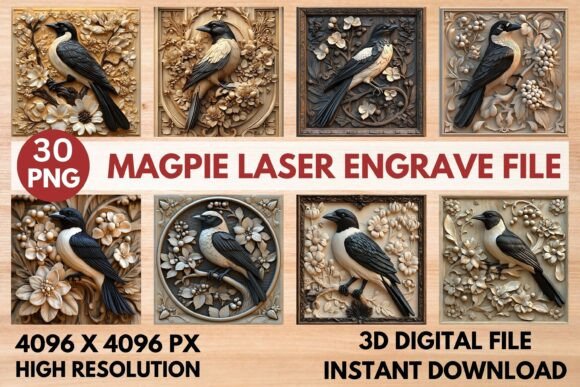
Magpie Laser Engrave File: Stunning 3D Grayscale PNG
Imagine adding a breathtaking, three-dimensional magpie design to your next woodcraft or textile project with perfect precision. This is exactly what the Magpie Laser Engrave File delivers, offering a beautifully detailed grayscale PNG specifically optimized for laser engraving machines. It’s more than just a graphic; it’s a versatile design asset that can elevate your creative work from simple to stunning, whether you're crafting personalized gifts, home décor, or professional merchandise.
What Makes This Laser Engrave File Special?
At its core, this file is engineered for excellence. The high-resolution 4096 x 4096 pixel grayscale PNG uses advanced techniques to translate intricate details into consistent engraving depth and shading. This means your final piece will have a professional, gallery-quality finish with crisp lines and smooth gradients. The design is optimized to work seamlessly with popular software and hardware, including LightBurn, Glowforge, xTool, and CO₂ laser systems, ensuring reliable results right out of the box.
The package includes both coloring and grayscale versions, providing incredible flexibility. You can use the grayscale file for direct engraving or use the coloring versions as a base for other mixed-media projects. This adaptability makes it a valuable addition to any crafter's digital toolkit, suitable for a wide range of applications.
Creative Uses for Your Magpie Design
The true value of a well-crafted design file lies in its application. This magpie graphic is perfect for adding an artistic touch to numerous projects:
- Home Décor & Woodworking: Engrave it onto wooden signs, coasters, or picture frames for a rustic yet elegant look.
- Personalized Stationery: Create unique notebooks, journal covers, or wedding invitations with a sophisticated avian motif.
- Textiles & Apparel: Apply the design to tote bags, hats, or t-shirts for custom apparel with a detailed, artistic flair.
- Packaging & Branding: Elevate your product packaging or brand identity with a distinctive, engraved logo element or pattern.
- Digital & Print Design: While optimized for engraving, the high-resolution PNG can also be incorporated into poster designs, social media graphics, or editorial layouts.
For those working on branding projects, this kind of detailed illustration can help establish a unique and memorable visual identity. It’s a creative font alternative for logos where a pictorial mark is more appropriate than typography alone.
Tips for Getting the Best Results
To ensure your project turns out perfectly, consider these practical tips:
- Material Matters: For the best contrast and detail, use light-colored woods like maple, birch, or basswood. The engraving will appear darker, creating a beautiful effect.
- Test First: Always perform a test engrave on a scrap piece of your chosen material. This allows you to fine-tune your machine's speed and power settings for optimal depth and clarity.
- Software Settings: If you're using LightBurn, leverage the Jarvis dither filter as recommended for grayscale engraving. For Glowforge, the suggested settings (Speed: 1000, Power: 90, LPI: 270) provide a great starting point.
- Resize with Care: While the file is not editable, it can be resized. Scale it proportionally in your software to fit your project without losing quality, thanks to its high resolution.
Choosing the Right Design Asset
Selecting a design file is similar to choosing a premium font for a project. You need to consider its aesthetic, technical specifications, and license. This Magpie Laser Engrave File is a commercial-use digital asset, meaning you can use it to create products for sale. Always review the license terms to ensure they align with your intended use, whether for personal crafts or commercial merchandise.
Think about the mood of your project. This detailed, realistic magpie evokes a sense of nature, elegance, and craftsmanship. It pairs well with clean, modern layouts or rustic, textured backgrounds. Just as you would test font pairings for readability and harmony, test how this graphic interacts with other elements in your design to maintain visual consistency.
Ultimately, the right design asset—be it a typeface, illustration, or engraving file—acts as a cornerstone for professional presentation. It can enhance brand recognition, add perceived value, and communicate quality. By choosing a well-executed file like this one, you’re not just adding an image; you’re investing in the overall polish and impact of your creative work.