Collage Frame Fragmented Effect: Transform Words into Art
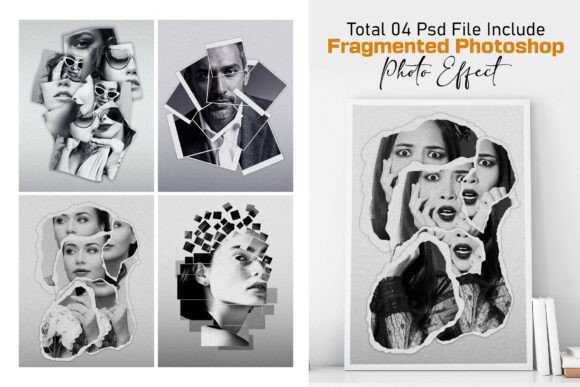
Imagine a design where your typography doesn't just hold a message—it becomes the canvas for a stunning visual story. The Collage Frame Fragmented Effect offers exactly this, a dynamic photo-in-text technique that fuses bold, three-dimensional letterforms with your chosen imagery. It’s a creative asset that moves beyond simple font choices, providing a template for creating dramatic, layered visuals that capture attention instantly.
This effect works by embedding your photograph within striking 3D text, creating a fragmented, collage-like appearance where the picture is revealed through the letter shapes. The result is a premium, textured look with incredible depth, realistic shadows, and a powerful sense of storytelling. It’s a versatile tool for designers looking to add a cinematic or retro flair to their projects without needing advanced technical skills.
Practical Applications for Dynamic Visuals
The true value of an effect like this lies in its flexibility across numerous design scenarios. It’s particularly effective for projects that require a strong visual impact and a modern typography approach. Consider using it for:
- Branding & Logo Design: Create a unique brand mark where the company name is filled with a key brand image or texture, enhancing brand identity and recall.
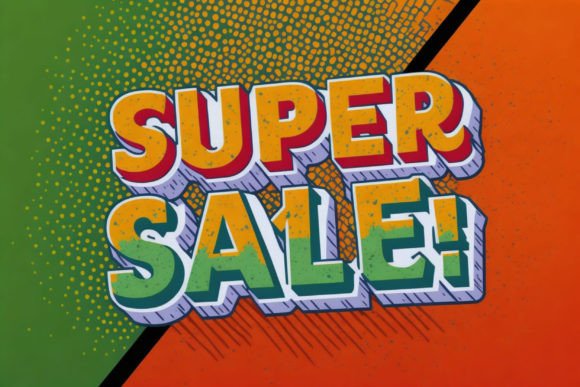
- Poster & Editorial Design: Design captivating movie posters, book covers, or magazine headers that demand a second look. The fragmented collage style is perfect for vintage-style designs and comic book titles.
- Social Media Graphics: Generate scroll-stopping visuals for campaigns, announcements, or profile banners that stand out in a crowded feed.
- Merchandise & Packaging: Apply the effect to t-shirt designs, canvas prints, or product packaging to create premium, textured paper artwork that feels artisanal and unique.
- Digital Products & Presentations: Elevate slide decks, digital invitations, or website hero sections with an element that adds immediate depth and professionalism.
Tips for Choosing and Using This Creative Font Asset
While this is a Photoshop template or effect file rather than a traditional typeface, the principles of selection are similar to choosing a creative font or display font for a project. Here’s how to approach it for the best results:
First, always consider the mood and context. A fragmented, collage effect carries a specific aesthetic—often retro, grunge, or editorial. Ensure this aligns with your project’s tone, whether it’s for a gritty poster design or a sophisticated brand presentation.
Next, test the visual hierarchy. The effect is inherently bold, so it works best for headlines, logos, or focal points. Pair it with simpler sans serif or serif fonts for body text to maintain readability and balance. Think of it as a powerful display font that needs supporting type.
Since it’s a customizable template, review its flexibility. The best design assets, like this Portrait Text Photo Effect, allow you to adjust font, color, depth, and shadow. Check that you can edit layers easily and that the file is organized, as this saves significant time and ensures professional results. Finally, confirm the license matches your intended use, whether for personal projects or commercial client work.
Choosing the right visual effect or font is a foundational decision in design. It impacts visual consistency, brand recognition, and the overall polished feel of your work. A well-executed effect like the Collage Frame Fragmented Effect doesn’t just decorate a design; it adds narrative power, turning ordinary text into a captivating visual centerpiece that communicates creativity and attention to detail.